Safety in Roblox: account, kids, settings
Roblox is a popular gaming platform used daily by millions of children and teenagers worldwide. That is why safety in Roblox is extremely important. A..

Roblox isn't just a game. It's a huge online platform where millions of people create their own games and worlds, and players can explore them, chat, and play with friends. If you're just discovering Roblox, this guide will help you quickly get started and take your first steps without stress.
Roblox is a platform where users create games using Roblox Studio, and other players can play them.
You can find:
adventure RPGs
simulators
horror games
roleplay worlds
games for friends
building and creativity
Every game is created by other players, so Roblox is constantly evolving.
This freedom is what makes the platform so popular among children, teenagers, and even adults.
Roblox works almost everywhere:
✔ PC (Windows, Mac)
✔ Android smartphones
✔ iPhone and iPad
✔ Xbox
✔ VR devices (in some games)
You don’t need a powerful computer — most games run even on low-end devices.
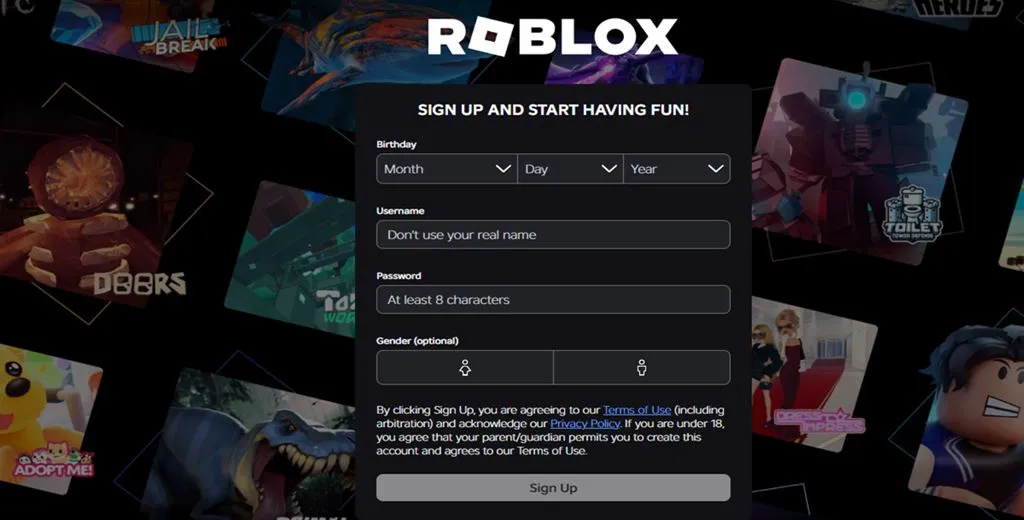
date of birth
username
password
gender (optional)
Your account will be created and you can start playing.
💡 Tip:
For safety, avoid using your real name as a username.
Log into your account
Choose any game
Click Play
Roblox Player will download
Open the App Store or Google Play
Search for Roblox
Install the app
Log into your account
After logging in, you will see the home page with games.
Choose a game
Click Play
Wait for it to load
Start playing
💡 Each game has its own rules, so pay attention to in-game tips.
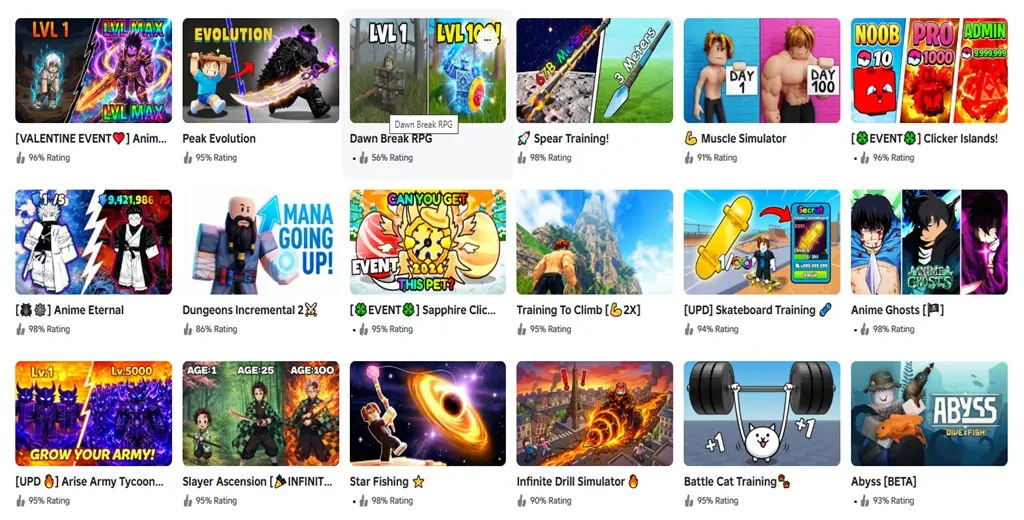
Beginners should start with popular games.
Roleplay (Brookhaven RP)
Simulator (Pet Simulator)
Adventure & RPG (Blox Fruits)
Horror (Doors)
Tycoon (business simulators)
✔ Popular section
✔ Roblox recommendations
✔ genre categories
Playing together is much more fun.
Search for their username
Open their profile
Click Add Friend
After confirmation, you can play together.
Your avatar is your character in Roblox.
Go to Avatar
Choose clothing, hairstyles, accessories
Save changes
Many items are free, while others require Robux.

Robux is Roblox’s in-game currency.
You can spend them on:
clothing and accessories
unique items
game bonuses
premium features
💡 Important: you can play for free. Robux are optional.
Roblox provides safety tools.
✔ enable parental controls
✔ restrict chat
✔ set a PIN for settings
✔ adjust account privacy
This helps keep gameplay safe.
✔ reinstall Roblox
✔ check your internet
✔ lower graphics settings
✔ close other apps
✔ check Wi-Fi
✔ restart your device
✔ Start with popular games
✔ Add friends to play together
✔ Don’t trust strangers in chat
✔ Avoid third-party Robux websites
✔ Explore different genres
Roblox is a massive gaming universe where everyone can find something interesting. You can explore thousands of games, create your own worlds, play with friends, and express yourself through your avatar.
Getting started is simple — create an account, choose a game, and take your first step into this virtual world.
And who knows — maybe the next hit game will be created by you.
Roblox is a popular gaming platform used daily by millions of children and teenagers worldwide. That is why safety in Roblox is extremely important. A..
Recently, the search query “is roblox getting banned from the philippines” has been trending on Google. Social media platforms are flooded..